Security and backups
Secured, backed up, and provably restorable
A billing platform holds your entire customer list, your revenue history and the credentials to your infrastructure. This one is built assuming it will one day be the target rather than the bystander.
Access control past admin and not-admin
Custom roles with granular permissions, two-factor authentication with recovery codes, forced password change and scoped API keys.
Secrets are encrypted at rest
Gateway, registrar and mail credentials are encrypted in the database rather than stored in plain text.
Webhooks fail closed
An incoming callback that cannot be verified is rejected, not trusted, and replays cannot credit an invoice twice.
Backups that leave the building
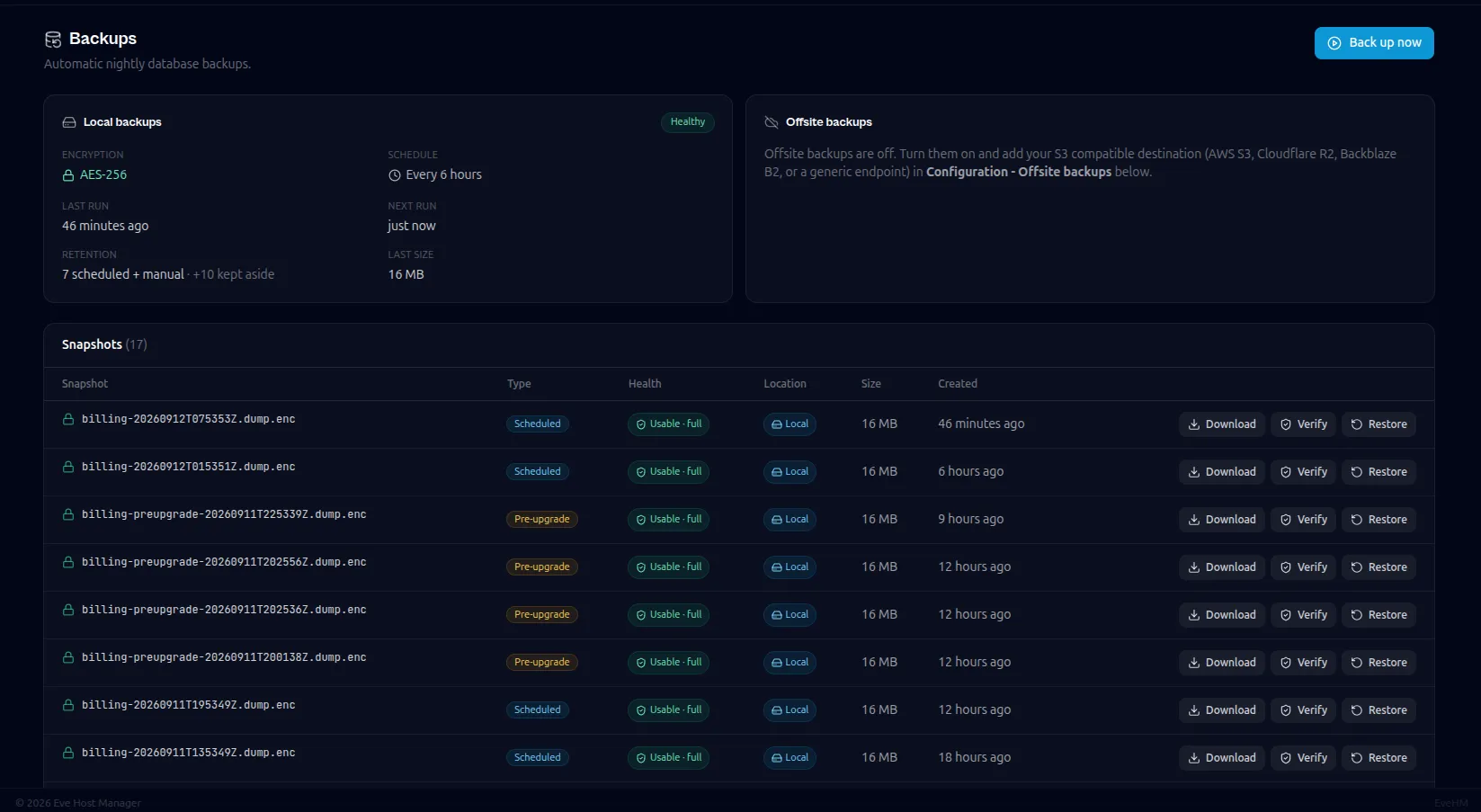
Nightly encrypted backups push offsite to any S3-compatible target, encrypted with a passphrase you hold and we never see.
Restore is a button, not a runbook
One-click restore from the admin panel, because a backup you have never restored is a hypothesis rather than a backup.
Questions
Security and backups, in detail
Where are backups stored?
On your server, and optionally pushed to any S3-compatible object store you configure. They are encrypted with a passphrase only you hold.
Is card data stored in the database?
No. Cards are tokenised by the payment processor, so the card number never reaches your server.
How do I report a vulnerability?
Email our security address. Reports are acknowledged and you are kept updated through the fix.
Related capabilities
Try security and backups on your own server
The free plan covers up to 25 clients with the full billing engine. Run it on a spare server and see whether it fits.
Free up to 25 clientsNo card requiredYour server, your data