WHMCS migration
Import your WHMCS install, then check it twice
Switching billing platforms is scary because most migrations are one-way. This one is not: run a dry run, read the report, run it for real, and roll the batch back if you do not like it.
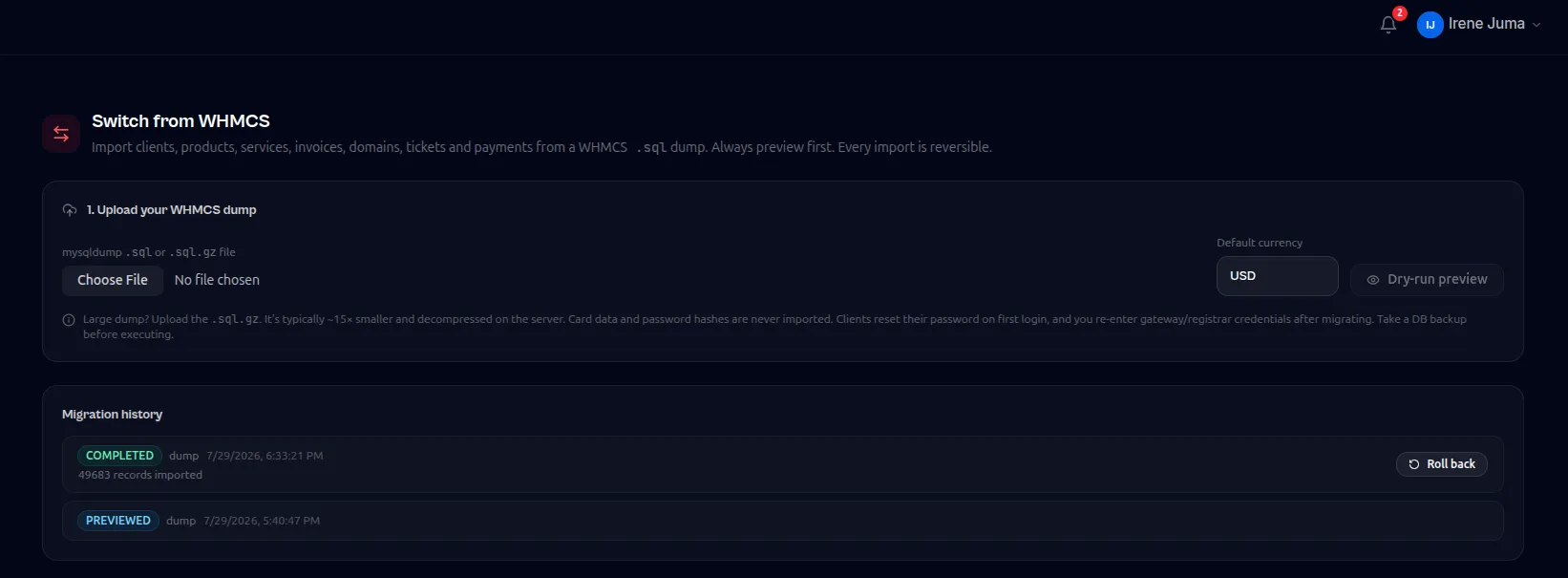
Dry run before anything is written
The importer reports exactly what it would create, what it would skip and why, before a single row is written.
Everything that matters comes across
Tax rules, clients, products, services, invoices with line items, domains, tickets with replies and payment history, in dependency order.
Resumable and idempotent
Interrupt it and run it again. Records already imported are recognised rather than duplicated.
Rollback by batch
Every import is a batch. If the result is wrong, reverse it and try a different mapping instead of restoring a database backup.
Nothing sensitive is carried over
Card data is never exported or imported. Payment methods are re-established through the gateway on first login.
Questions
WHMCS migration, in detail
Will my invoice numbers stay the same?
Yes. Imported invoices keep their original numbers and prefixes so your accounting history stays continuous.
How long does a migration take?
Most installs import in minutes. The work is in the dry-run review, which is where the time should go.
What about my clients saved cards?
Card data is never migrated. Clients re-add a payment method on first login, which is also the moment you get a fresh mandate.
Related capabilities
Try whmcs migration on your own server
The free plan covers up to 25 clients with the full billing engine. Run it on a spare server and see whether it fits.
Free up to 25 clientsNo card requiredYour server, your data